
Last Updated: October 30, 2026
Quick Summary
The best photo paper for home inkjet printers is mid-weight 200-260 gsm stock in a finish matched to your subject: luster or matte for portraits, glossy or semi-gloss for landscapes. Match the media setting in your printer driver to the paper finish, and choose acid-free paper in the 260-310 gsm range for framing.
- Glossy photo paper gives the highest color vibrancy and contrast, while matte produces softer color with no glare.
- Lightweight photo paper around 170-190 gsm feels thin and tends to curl at the corners.
- Heavy paper above 300 gsm can jam in printers that lack a rear feed tray.
- Most home inkjet printers use dye ink, which pairs well with standard glossy and matte photo papers.
- Printing on glossy paper with a plain paper setting is a classic cause of smearing and dull color.
Table of Contents
- Why the right photo paper matters for home prints
- Glossy vs matte photo paper: which finish fits your photos
- The best paper weight for inkjet photo printing
- Inkjet photo paper compatibility: dye, pigment and printer settings
- The best photo paper for framing and long-term display
- Matching paper to the photo: portraits, landscapes and everyday snapshots
- Start printing your family photos
- Frequently asked questions
Why the right photo paper matters for home prints
Paper affects how your home prints look more than the printer does. A home inkjet printer loaded with the wrong photo paper will produce muddy colors, visible banding, and prints that curl or fade within months, no matter how good the original image is. Choosing the best photo paper types for home inkjet printers comes down to matching finish, weight, and coating to how you'll actually use the print.
At Magnet Stars we print family photos onto glossy metal magnets every day, so we pay close attention to how a finished photo looks.
Below, we'll walk through the finishes, weights, and compatibility rules that matter, so you can stop guessing in the paper aisle.
Glossy vs matte photo paper: which finish fits your photos
Glossy photo paper delivers the highest color vibrancy and contrast because its reflective coating bounces light straight back at the viewer. Matte photo paper absorbs light instead, producing softer, flatter color with no glare. Each one suits different photos.
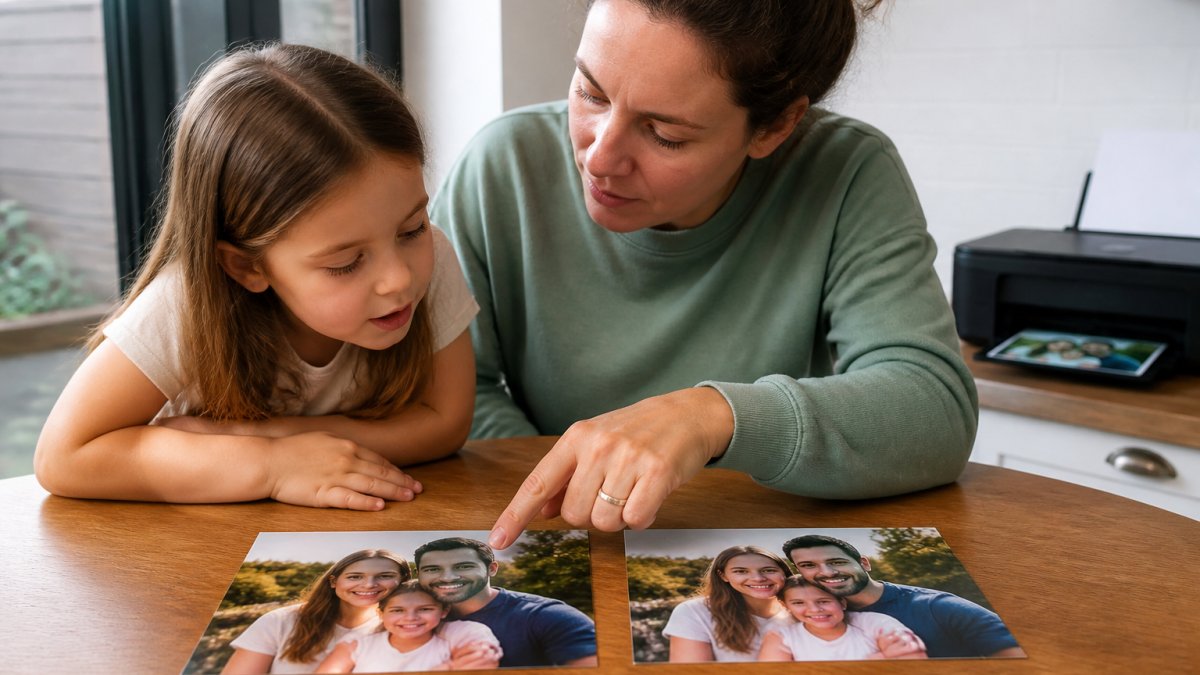
Glossy isn't always the best pick. It can make skin tones look slightly plastic, and matte keeps them more natural.
Luster, semi-gloss and silk: the middle ground
Luster, semi-gloss, and silk finishes sit between the two extremes. These textured surfaces scatter light just enough to cut glare while keeping deeper blacks and richer color than flat matte. Luster is the standard choice for portrait and event photography because it flatters skin tones and resists fingerprints better than glossy. Silk has a finer, almost fabric-like texture that hides minor scratches and handling marks, which makes it forgiving for prints that will be passed around.
The best paper weight for inkjet photo printing
Paper weight (measured in grams per square meter, or gsm) affects how substantial a print feels, how well it holds ink without warping, and how it handles in the printer feed.
Lightweight photo paper around 170-190 gsm feels thin and tends to curl at the corners. Mid-weight paper in the 200-260 gsm range is the sweet spot for most home printers: stiff enough to lie flat, thin enough to feed reliably. Heavy paper above 300 gsm produces gallery-quality heft but can jam in printers that lack a rear feed tray.
Watch out: exceeding your printer's rated paper weight can cause misfeeds and smeared ink. Check your printer's manual before buying a heavy stock.
| Paper Weight | Feel and Best Use | Printer Consideration |
|---|---|---|
| 170-190 gsm | Thin, casual snapshots | Feeds easily in most printers |
| 200-260 gsm | Everyday prints, framing | Sweet spot for home inkjet |
| 260-310 gsm | Display and gallery prints | Needs a rear feed tray |
| 310+ gsm | Fine-art and cotton rag | Manual feed only on many models |
Inkjet photo paper compatibility: dye, pigment and printer settings
Inkjet photo paper compatibility depends on matching the paper coating to your printer's ink type and selecting the correct media setting. Dye inks soak into porous coatings and produce vivid color; pigment inks sit on the surface and need a coating designed to accept them, or the ink pools and smears. Most home inkjet printers use dye ink, which pairs well with standard glossy and matte photo papers. Pigment printers, common in fine-art and professional setups, need paper explicitly labeled for pigment ink. Using the wrong combination wastes expensive paper.
The media setting matters as much as the paper itself. Selecting "glossy photo paper" in your printer software tells the printer how much ink to lay down and how long to let it dry. Printing on glossy paper with a "plain paper" setting is a classic cause of smearing and dull color. Here is how to match the driver setting to the finish:
| Paper Finish | Driver Media Type | Print Quality | Drying Time (typical) |
|---|---|---|---|
| Glossy | Glossy Photo Paper | High or Best | 15-30 minutes |
| Matte | Matte Photo Paper | High | 10-20 minutes |
| Luster / Semi-gloss | Luster or Semi-Gloss Photo Paper | High or Best | 15-30 minutes |
| Fine-art / Cotton rag | Fine Art Paper or Matte Photo Paper | Best | 30-60 minutes |
| Baryta | Baryta or Glossy Photo Paper | Best | 30-60 minutes |
If your printer driver does not list the exact finish, choose the closest match (for example, "Semi-Gloss" for luster) and run a small test print before a full batch. Some printers also offer a "Photo RPM" or "Maximum dpi" mode that lays down more ink; use it only on paper rated for that ink load, or you risk pooling and bronzing.
Printer settings checklist:
- Match the media type in your print dialog to the actual paper finish
- Set print quality to "high" or "best" for photos
- Disable "fast" or "draft" mode for anything you'll display
- Let prints dry flat for the time your paper's instructions specify before handling
- Run a test print on a small sheet before committing a full batch
For guidance on getting accurate color across devices, the International Color Consortium profiles explain how color management keeps prints matching your screen.
The best photo paper for framing and long-term display
The best photo paper for framing is acid-free, archival-quality paper in the 260-310 gsm range, ideally with a matte or luster finish that won't reflect light behind glass. Acid-free paper resists yellowing over time, and archival quality means the paper is built to last decades rather than months. For long-term display, look for paper labeled acid-free and, where possible, with fade-resistant coatings. Fine-art paper, including cotton rag and baryta papers, offers the highest archival quality: cotton rag has a soft, textured surface and exceptional longevity, while baryta paper mimics the look of traditional darkroom prints with a bright white base and smooth surface.
But archival paper is only half the equation for a home printer. The other half is cost per print and handling. Before committing a full pack to a framed print, run a test print on a smaller sheet or a less expensive paper of the same finish to check color and cropping.
Handling matters as much as the paper itself. Fine-art and baryta papers often have a delicate coating that shows fingerprints and scuffs, so handle prints by the edges and let them dry flat for the full time the paper's instructions specify (often 30-60 minutes) before framing. If you plan to frame behind glass, matte and luster finishes reduce glare; glossy behind glass can reflect a window or lamp and obscure the image. For prints that will hang in a sunny room, choose paper with fade-resistant coatings and consider UV-filtering glass, since even archival paper can fade under direct sunlight.
If you're planning to build a display, our guide on how to make a memory wall for home walks through layout and mounting step by step. And once you've chosen a paper, how to select photos for printing helps you pick the images worth the effort.
Matching paper to the photo: portraits, landscapes and everyday snapshots
Different images call for different finishes.
- Portraits: Luster or matte. These flatter skin tones and avoid the plastic sheen glossy gives faces.
- Landscapes: Glossy or semi-gloss. High contrast and deep blacks make skies and foliage pop.
- Everyday snapshots: Matte or semi-gloss. Forgiving of imperfect lighting and easy to handle.
- Fine-art prints: Cotton rag or baryta. Textured, archival, and gallery-ready.
- Prints for framing: Matte or luster. No glare behind glass.
A practical tip: keep a paper sample pack on hand. Printing the same photo on three or four finishes side by side teaches you more in ten minutes than any spec sheet.
Start printing your family photos
Choosing the right photo paper is the first step. The second is actually printing the photos sitting in your camera roll. If you're not sure how to get them from your phone to paper, our step-by-step guide on how to print photos from phone covers the whole process.
For busy families, easy photo printing for busy parents shows how to simplify the workflow so printing doesn't become another chore. And once you have physical prints in hand, turning digital photos into physical keepsakes offers ideas for what to do with them next.
At Magnet Stars, we take the photos you've printed and loved and turn them into custom fridge magnets in a simple four-step process. Choose from glossy metal, puzzle designs, or plastic frames, and orders ship in 3–5 business days. Single 2" x 2" magnets start at $3.99, and orders over $50 ship free.
Frequently asked questions
What type of photo paper is best for inkjet printers?
Any paper labeled for inkjet use will work, but the best choice depends on your printer and goal. For vivid snapshots, a glossy or luster photo paper around 200-260 gsm gives strong color and contrast. For framing or gallery-style display, a matte or cotton-rag fine-art paper around 260-310 gsm resists glare and fingerprints. Always check that the paper is rated for your ink type, since dye and pigment inks absorb coatings differently and affect drying time and fade resistance.
Is glossy or matte photo paper better for printing photos?
Glossy photo paper produces deeper blacks, higher contrast, and more vibrant color, which suits landscapes and bright, colorful snapshots. Matte photo paper scatters light instead of reflecting it, so it avoids glare under glass and hides fingerprints, making it the better pick for framed prints and fine-art reproduction. Many home printers handle both well; test a small sample pack of each before committing to a full pack.
Can you use any photo paper in an inkjet printer?
No. Photo paper must be coated for inkjet use, and the coating has to match your ink type. Paper made for laser printers or for dye-sublimation will not absorb inkjet ink correctly and can smudge or damage the print head. Check the packaging for an inkjet compatibility note and set the correct media type in your printer driver so the printer adjusts ink volume and drying time for that paper.
How do I keep inkjet photo prints from smudging or fading?
Let prints dry flat for the time your paper manufacturer recommends, usually a few minutes to an hour for pigment inks on coated paper. Handle prints by the edges to avoid fingerprints, and store or frame them away from direct sunlight, which speeds fading. Choosing acid-free, archival-quality paper and matching the media setting to your paper weight both improve durability. For framed prints, a matte or luster finish hides scuffs better than high gloss.
If your favorite photos only live on your phone, print a few. Pick your paper, run a test print, and then let Magnet Stars turn those favorites into keepsakes the whole family will see every day. Get started with Magnet Stars and give your hidden photos a permanent place on the fridge.
