
Table of contents
- Why digital photos deserve a physical home
- How to print photos from your phone
- Choosing the right photos to print
- Best photo resolution for printing
- Custom photo magnets and print formats
- Ways to display printed photos at home
- Preserving your printed keepsakes
- Frequently asked questions
Last Updated: October 11, 2026
Why digital photos deserve a physical home
Your phone holds thousands of memories, yet most stay hidden in a camera roll. The best ones deserve a spot where you'll see them every day. A printed photo becomes part of your home in a way a camera roll never does.
Physical photos do something screens cannot. They sit on your fridge, desk, or locker and catch your eye during ordinary moments. A printed photo of your child's first day of school becomes part of your kitchen landscape. These aren't objects you'll lose in a software update or forget in the cloud.
The process is simpler than you might think. Turning your digital photos into physical keepsakes can happen in minutes, right from your phone.
How to print photos from your phone
Printing photos directly from your smartphone is the fastest way to turn digital photos into physical keepsakes. Any recent phone works with online printing services.
Uploading from your phone's camera roll
Start by opening your phone's photo gallery or camera roll app and selecting the photos you want to print. Many printing services have mobile apps that make uploading direct and simple.
Once uploaded, choose your print size: 2" x 2", 2.5" x 2.5", 2" x 3", or 2.5" x 3.5" for magnets, or larger for wall displays. Review your order and proceed to checkout.
Uploading from social media and cloud storage
Most printing services let you connect directly to Instagram, Facebook, Google Photos, or Dropbox. Once authorized, browse and select photos to print. This method saves time if your best photos are already organized in the cloud.
Choosing the right photos to print
The best photos to print are those that make you smile, tell a story, or capture a meaningful moment. Ask: Does this photo make me happy? Is the subject clear and well-lit? Will I still love it in five years?
Photos with strong subjects and good lighting print well. Blurry photos, busy backgrounds, or dark images often disappoint.
Match each photo to its intended use: a playful pet photo works great as a magnet, while a formal family portrait suits a framed print.
Best photo resolution for printing
When you turn digital photos into physical keepsakes, resolution matters, but so does aspect ratio. A high-megapixel photo can still print poorly if heavily cropped or if the aspect ratio doesn't match your chosen format.
Understanding resolution and print quality
Most smartphone cameras capture 12+ megapixels, sufficient for printing. What matters is pixel density at your final print size, measured in pixels per inch (PPI). Aim for at least 300 PPI, the industry standard.
- For a 2" × 2" print: You need at least 600 × 600 pixels (2 inches × 300 PPI = 600 pixels per dimension).
- For a 2.5" × 2.5" print: You need at least 750 × 750 pixels.
- For a 2" × 3" print: You need at least 600 × 900 pixels.
- For a 2.5" × 3.5" print: You need at least 750 × 1,050 pixels.
- For a 4" × 6" print: You need at least 1,200 × 1,800 pixels.
- For an 8" × 10" print: You need at least 2,400 × 3,000 pixels.
If your photo falls short, modern printing services use interpolation to enlarge it. This works for modest shortfalls (10-15% below target), but larger gaps show visible pixelation.
Checking resolution on your phone or computer
iPhone: Open the photo in Photos, tap the info icon, and scroll to "Image Size." Android: Open in Google Photos, tap the menu, select "Details." Windows: Right-click the file, select "Properties," then "Details." Mac: Right-click, select "Get Info."
Aspect ratio and cropping
Aspect ratio, the relationship between width and height, is equally important. Most phones shoot in 4:3 or 16:9, but print formats vary. Use the cropping tool to frame your subject exactly as you want it. Avoid aggressive cropping, which reduces effective resolution.
When resolution is borderline
If your photo is slightly below recommended resolution, you can accept minor softness for small prints, choose a smaller print size, or use upscaling software like Upscayl or Topaz Gigapixel AI.
Compressed copies from social media
Photos from social platforms are often compressed. Access the original from your phone's camera roll or cloud storage when possible. If you only have a social media version, check its resolution before ordering. If below 600 × 600 pixels, use a smaller format or upscaling.
Custom photo magnets and print formats
Once you've selected your photos and confirmed resolution, it's time to choose your format. Magnet Stars offers several options, each with different benefits.
Glossy metal magnets for everyday display
Our Custom Photo Fridge Magnets feature glossy metal with vibrant color and strong magnetic backing. Available in 2" x 2", 2.5" x 2.5", 2" x 3", and 2.5" x 3.5" sizes starting at $3.99, they won't peel or bend. Use the cropping tool to center your photo exactly as you want it.
Custom Photo Fridge Magnets – Glossy Metal →

Puzzle magnets for interactive keepsakes
Puzzle Photo Magnets (from $19.99) split your photo into pieces that assemble on the fridge. The 2" x 2" and 2.5" x 2.5" sizes make 9 pieces, and the 2.5" x 3.5" makes 6. They work best with clear, simple subjects. High-resolution printing keeps details sharp across every piece.
Framed magnets for a polished gallery look
Plastic Magnet Photo Frames ($9.89) add a finished, professional appearance. The 50×50mm opening fits our 2" x 2" magnets. Swap photos in seconds with no tools. The clear panel resists scratches and yellowing, and frames also work as note holders.
Ways to display printed photos at home
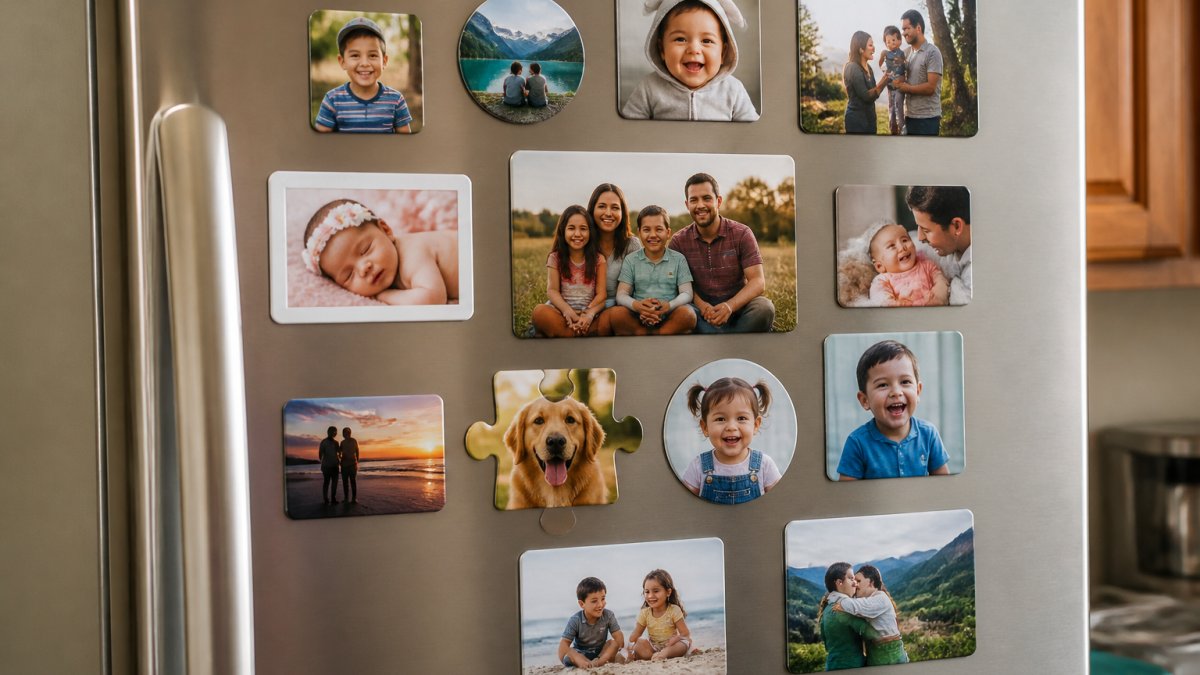
Display magnets on your fridge, lockers, filing cabinets, or metal surfaces throughout your home. Create a gallery wall by clustering multiple magnets and mixing sizes for visual interest. Rotate seasonal photos to keep displays fresh. Magnetic boards in kitchens or offices offer an organized alternative to fridge displays.
Preserving your printed keepsakes
Once you've turned your digital photos into physical keepsakes, the materials and environment determine how long they remain vibrant. Different print formats have different lifespans, and understanding these trade-offs helps you choose keepsakes that match your expectations.
Material durability and archival standards
Not all photo prints are created equal. The longevity of a printed photo depends on three factors: the paper or substrate, the ink type, and the binding (if applicable).
Paper and substrate types:
- Glossy photo paper: Delivers vibrant color and is the most common choice for everyday prints. Glossy finishes are susceptible to fingerprints and can show reflections, but they resist fading better than matte finishes when stored indoors.
- Matte photo paper: Offers a softer, less reflective appearance. Matte finishes hide fingerprints but are slightly more prone to fading over time, especially in bright sunlight.
- Premium luster or satin finishes: A middle ground between glossy and matte. These finishes resist fading better than standard matte and are less reflective than glossy, making them a good choice for long-term display.
- Metal or aluminum substrates: Prints mounted on metal are more durable than paper. Metal resists moisture, doesn't warp, and colors remain vibrant longer. Metal prints typically last 50+ years indoors with minimal fading.
- Canvas: Canvas prints are prone to dust accumulation and can fade if exposed to direct sunlight. They're best suited for indoor display in stable conditions.
Ink types:
- Dye-based inks: Traditional photo inks that produce rich colors. Dye-based prints fade faster than pigment-based prints, especially when exposed to light or humidity. Expect noticeable fading after 5-10 years of display in bright conditions.
- Pigment-based inks: More fade-resistant than dye-based inks. Pigment prints can last 20-50+ years indoors without significant color shift, depending on paper quality and storage conditions.
Environmental conditions and fade prevention
Even high-quality prints fade if exposed to harsh conditions. Understanding the limits helps you choose display locations wisely.
Light exposure:
- Direct sunlight: Accelerates fading dramatically. A print displayed in a sunny window will show noticeable color shift within 1-3 years.
- Indirect natural light: Safer than direct sun but still causes gradual fading over 5-10 years.
- Artificial indoor light: Minimal fading risk. LED bulbs produce less heat and UV radiation than incandescent bulbs, making them ideal for photo display.
- Dark storage: Prints stored in a drawer or closed cabinet experience virtually no fading, even over decades.
Temperature and humidity:
- Ideal range: 60-70°F and 30-40% relative humidity. This is the standard museum archival environment.
- Refrigerator display: Fine for everyday prints, but the door sits in the kitchen's heat and steam. Keep magnets away from the stove side and out of direct window light.
- Bathrooms and kitchens: High humidity can cause paper to warp, ink to bleed, and mold to grow. Avoid displaying prints directly above sinks or in steamy shower areas.
- Basements and attics: Temperature and humidity fluctuate seasonally. Avoid storing prints long-term in these spaces.
- Extreme heat: Temperatures above 80°F accelerate ink degradation. Avoid displaying prints near heating vents, radiators, or in direct sunlight.
Fade timelines by format
These timelines assume indoor display in stable conditions. Direct sunlight or high humidity can cut these estimates in half.
- Dye-based ink on paper: noticeable fading in 5–10 years in bright rooms
- Pigment-based ink on paper: 20–50+ years
- Metal prints: 50+ years
Handling and maintenance
Fingerprints and oils: Handle prints by the edges, not the photo surface. Skin oils transfer to the image and can cause spotting or discoloration over time.
Storage: If you're not displaying a print immediately, store it flat in a cool, dry place. Avoid stacking heavy objects on top of prints, which can cause creasing or warping. Archival-quality storage boxes (acid-free, lignin-free) are ideal for long-term storage.
Framing: Use UV-protective glass or acrylic when framing prints. UV glass blocks 99% of ultraviolet radiation, dramatically slowing fading. Acid-free mats and backing prevent chemical damage to the print over time.
Backup and reprinting
Store backup copies of your digital photos in cloud storage or on an external hard drive. If a printed magnet fades, gets damaged, or is lost, you'll have the original file to reprint. This is one of the key advantages of turning digital photos into physical keepsakes: you're not locked into a single print. As printing technology improves or your preferences change, you can create fresh copies anytime.
Frequently asked questions
How can I turn digital photos into physical keepsakes?
Upload your photo to a printing service, select your format (magnets, prints, or framed options), crop and adjust the image, then place your order. Services like Magnet Stars ship custom photo magnets in 3-5 business days. The process takes minutes and transforms hidden photos into visible, lasting keepsakes you'll see every day on your fridge or desk.
What photo resolution do I need for good-quality prints?
For crisp, clear prints, use photos with a resolution of at least 300 DPI (dots per inch). Most smartphone photos shot in good lighting meet this standard. Before uploading, check your image size: larger prints need higher resolution. If your photo is 1200 x 1200 pixels or higher, it will print sharply at standard magnet sizes. Avoid heavily cropped or zoomed-in phone photos, which may appear pixelated.
Can I print photos directly from my phone?
Yes. Most printing services, including Magnet Stars, let you upload directly from your phone's camera roll or cloud storage like Google Photos or iCloud. Open the service on your phone, tap upload, select your photo, use the cropping tool to frame it exactly how you want it, and complete your order. The entire process takes just a few minutes, and your custom magnets ship to your door in days.
What are the best ways to display printed photos at home?
Custom photo magnets on your refrigerator are the simplest display option, visible every day. Framed magnets create a polished gallery-wall effect. Puzzle magnets add interactive fun for families with kids. You can also print photos on canvas, mount them on walls, or add them to scrapbooks and albums. The best display depends on your space and how often you want to see the memory. High-traffic areas like kitchens and entryways work well for everyday keepsakes.