
Table of Contents
- Why Easy Photo Printing Matters for Busy Parents
- How to Print Photos From Smartphone Without the Hassle
- Organizing Digital Photo Collections: A Simple System
- Choosing a Printing Method: Same-Day Pickup vs. Home Delivery
- Creative Ways to Display Family Photos at Home
- Cost-Per-Print Comparison: What Busy Parents Actually Spend
- Privacy, Archival Quality, and Workflow Automation
- Conclusion
- Frequently Asked Questions
Last Updated: September 21, 2026
Why Easy Photo Printing Matters for Busy Parents
The average parent's phone holds thousands of photos, yet almost none leave the screen. Easy photo printing for busy parents means turning phone photos into physical prints through a fast, low-effort workflow that fits around school runs and nap schedules.
At Magnet Stars, we hear it every week: the photos are there, the time is not.
How to Print Photos From Smartphone Without the Hassle
Printing from a phone takes minutes once you know the shortcuts. Most people make it slow by scrolling their entire camera roll instead of starting from a shortlist.
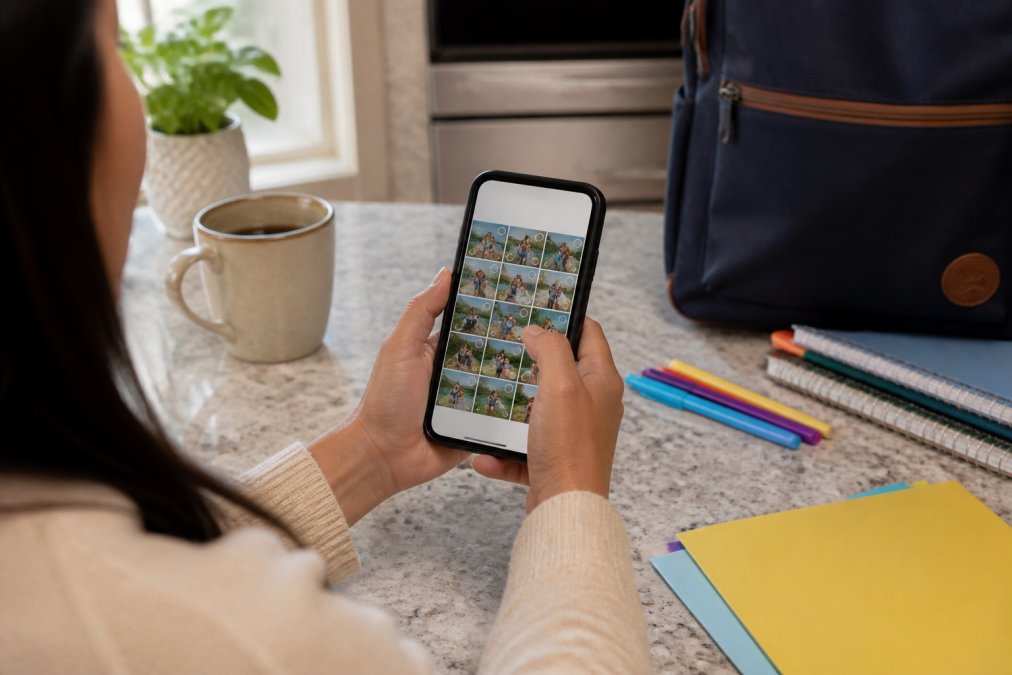
Here is the fastest path:
- Open your camera roll and favorite 10-15 photos over a week.
- Create one album called "To Print" and move favorites into it.
- Choose your print size before you upload, not after.
- Use the crop tool to center the subject in the frame.
- Order in a batch rather than one photo at a time.
Batch printing is the biggest time saver: ten separate orders take ten times as long as one.
A common mistake is uploading a screenshot or an already-square photo, then wondering why the print looks off. Check the aspect ratio first: most phone photos are tall rectangles while many prints are square, so cropping is normal.
Organizing Digital Photo Collections: A Simple System
Organizing digital photo collections comes down to three folders, not thirty. Parents who chase a perfect archive quit within a month; those who build a rough one keep going.
Try this structure:
- Inbox: everything new lands here automatically.
- Keepers: the photos you'd actually print or share.
- Printed: anything already ordered, so you never print it twice.
Spend ten minutes a week sorting. That's it.
Choosing a Printing Method: Same-Day Pickup vs. Home Delivery
Same-day pickup wins when you need prints today; home delivery wins for larger batches you don't want to leave the house for.
Here's how the two compare:
| Method | Speed | Best For | Trade-off |
|---|---|---|---|
| Same-day pickup | Hours | Last-minute gifts, school projects | Requires a trip out |
| Home delivery | A few days | Bulk orders, custom keepsakes | You wait for the mail |
Creative Ways to Display Family Photos at Home
Displaying family photos is where most people stop short. The prints get made, then sit in an envelope because framing feels like a project.
Skip the framing. Start with the fridge.
Cost-Per-Print Comparison: What Busy Parents Actually Spend
Most printing guides say to "watch for hidden costs" and stop there, useless when you're in a store aisle at 9 p.m. Here is the actual math, so you can decide in under a minute.
The two cost structures you are choosing between
There are only two ways to get a print: make it at home, or order it from a lab (retail counter or mail-order). They fail in opposite directions.
What actually drives the number
- Print size. Cost scales faster than area. A 5x7 uses roughly 46% more paper than a 4x6 and often jumps a pricing tier; an 8x10 uses more than three times the area.
- Finish. Matte hides fingerprints and glare; glossy shows richer color but every smudge. Some labs charge the same for both, some do not. Check before you assume.
- Shipping. The silent multiplier: a single 4x6 shipped to your door can cost more in shipping than the print itself. Batching is the only way shipping stops dominating the bill.
- Reprints. A blurry or badly cropped photo gets ordered twice, so you pay double for one usable print. The most avoidable cost on the list.
- Paper weight and coating. Thin paper curls and feels disposable. Heavier stock and a protective coating cost more but survive handling by kids, which is the whole point for a fridge or a bedroom wall.
The break-even question, stated plainly
If you print a handful of photos a year, a home printer almost never pays for itself once you count ink, paper, and replacements. If you print constantly, school projects, classroom handouts, on-demand convenience can justify the ink cost, but only with third-party ink or a tank-style printer built for high volume.
A simple decision rule
- One or two prints, needed today: retail same-day counter. Pay the trip, skip the shipping.
- Ten or more prints, no deadline: mail-order lab. Batch them, hit the free-shipping threshold, and let them arrive.
Color correction matters. A print that comes back too dark or too warm usually means the original was shot in low light or under a warm indoor bulb. Check the preview before ordering, if a photo looks borderline on screen, it will look worse in print.
Custom Photo Fridge Magnets – Glossy →
Privacy, Archival Quality, and Workflow Automation
Privacy and archival quality are the two things most printing guides skip entirely. Both matter more than they sound, and a little knowledge saves real money and real regret.
Privacy: what your photos carry with them
Before you upload to any service, do three things:
- Check the privacy policy for the words that matter. Look for how long they keep your files, whether they use them to train anything, and how you delete them. If the policy does not say, treat that as a no.
- Strip location data when you do not need it. Most phone photo apps let you remove location from a photo before sharing. On many phones you can also turn off location tagging for the camera entirely, which is the simplest fix if you never use it.
- Use a unique password and two-factor authentication on any account that holds family photos. A shared photo account is a more attractive target than a random one.
For more on protecting personal data when you share images online, the Federal Trade Commission's guidance on protecting your privacy is a solid starting point.
Archival quality: why some prints fade and others do not
Not all prints last. The difference comes down to two things: the ink (or toner) and the paper.
A few practical rules:
- Keep direct sun off anything you want to keep. UV is the single biggest killer of prints, and it works fast.
- Avoid attics, garages, and damp basements. Heat and humidity do more damage than time.
Workflow automation: removing the manual steps
Here is what actually works:
-
Turn on automated backups so photos are never only on your phone. Most platforms sync by default, check that yours is on, and what it costs past the free tier.
-
Create a "To Print" album and favorite into it all week. Deciding at order time is what makes ordering feel like a chore. Deciding in two-second increments does not.
-
Set a recurring weekly reminder to sort your Inbox album. Ten minutes, same time each week. This is the single habit that keeps the system from collapsing.
-
Use your phone's shared album feature to let a partner or grandparent add photos to the same "To Print" album. One album, multiple contributors, no group-text photo dump.
-
Reorder the same sizes in bulk so you are not re-choosing paper, finish, and quantity every time. Save the configuration once and repeat it.
Together, these three pieces, privacy hygiene, archival awareness, and light automation, separate a photo-printing habit that lasts from one that dies after two orders.
Conclusion
The hard part isn't printing. It's the gap between thousands of photos on a phone and almost none on the wall. Close that gap with a shortlist, one album, and one order method, and the whole thing takes an evening.
Frequently Asked Questions
How can busy parents organize thousands of digital photos?
Start with a monthly 15-minute review instead of trying to sort everything at once. Use your phone's built-in tools to auto-backup to cloud storage, then delete duplicates and blurry shots in batches. Create albums by year or event so you can find print-ready favorites fast. One parent-friendly trick: flag 10-15 high-resolution photos per month as candidates for physical prints, then batch print them quarterly.
What is the fastest way to print photos from a smartphone?
Most phone photo apps let you select images and send them straight to a printer or order prints through a mobile app in under five minutes. For same-day pickup, upload to a local store and collect within hours. For home delivery, services like Magnet Stars turn your camera roll into custom photo magnets, shipping in 3-5 business days. The key is picking one method and sticking with it so printing becomes a habit, not a project.
Are photo magnets a good alternative to traditional photo albums?
Photo magnets offer a distinct advantage: they stay visible. Albums get shelved, but magnets live on your fridge where you see them daily. Magnet Stars' Custom Photo Fridge Magnets start at $11.49 and come in sizes from 2" x 2" to 2.5" x 3.5", with glossy metal finishes built to resist peeling and fading. For grandparents or anyone who wants everyday visibility rather than occasional browsing, magnets are a strong choice.
How do I choose the right photo printing service for high-quality results?
Look for three things: print resolution (aim for 300 DPI), material durability, and turnaround time. Glossy finishes make colors pop for fridge magnets. Check whether the service offers cropping tools so you can adjust aspect ratio before ordering. If archival quality matters, ask about fade resistance. For busy parents, a service that ships in days and offers free shipping over $50 saves both time and money.